


Sales & Use Tax Online Lookup
Log in and look up sales and use tax rates for any U.S. ZIP code or street address. Three precision levels. Built-in calculator. No integration required.
How It Works


What you do
Log in to your subscriber portal and enter as much or as little of an address as you have. A ZIP code on its own works. A full street address works better.


What you get back
The current sales tax rate and use tax rate for that jurisdiction, broken out by state, county and city, with any special rules that apply. Print any result for your files.


Who it is for
Accounting teams preparing invoices, call centres quoting totals, and any business that needs accurate rates without building an integration to get them.
Three Levels of Precision
How accurate your rate is depends on how much of the address you enter. Your subscription determines which levels are available to you.
LEVEL 1


Basic (5-digit ZIP)
Returns all jurisdictions tied to a ZIP code. A single ZIP can cross county or city lines, so you may see more than one result.
Best for: general estimates. Fastest and most affordable.
LEVEL 2


SalesTax+4®
Narrows to the 9-digit ZIP for single-jurisdiction certainty at county and city level.
Best for: the best balance of accuracy and cost.
LEVEL 3


Spot-On® (Full Address)
Geolocates the full street address and returns the exact coordinates. Catches special tax districts that ZIP boundaries miss.
Best for: highest accuracy. Required for rooftop-level precision.
See It In Action
Here is what a lookup actually looks like, start to finish.
Calculate the Total, Not Just the Rate
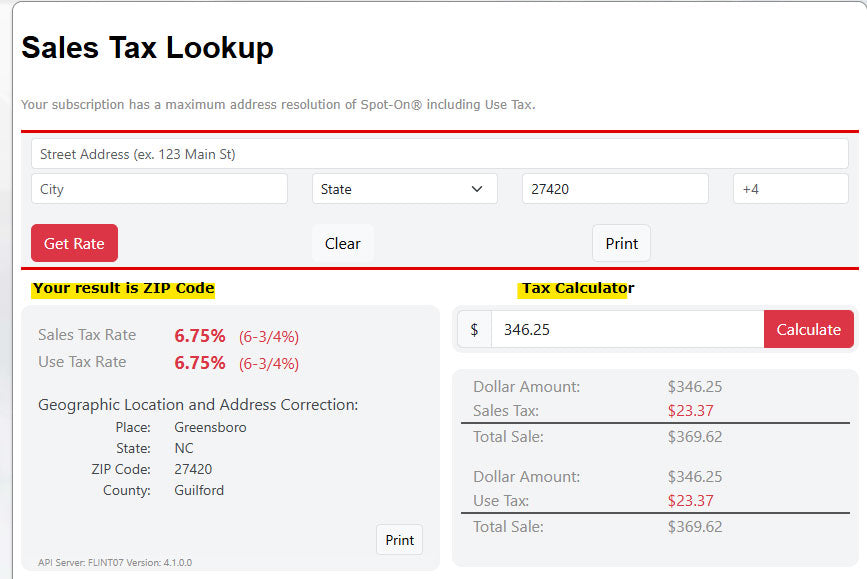
Knowing the rate is only half of it. Enter a dollar amount alongside the address and the built-in calculator returns the tax due and the total sale price. No separate spreadsheet, no manual multiplication, no rounding errors on the invoice.

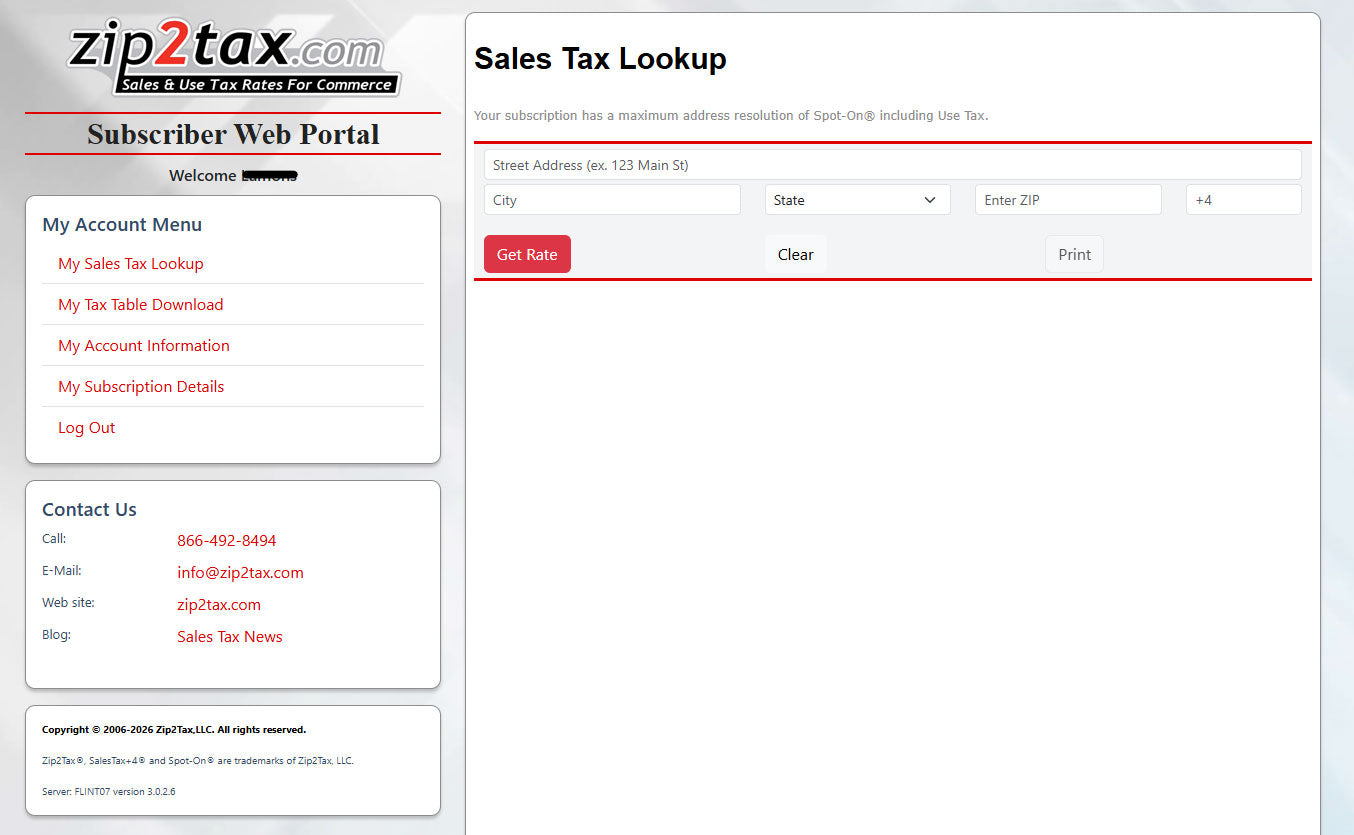
The subscriber web portal. Your lookup, your subscription, and your downloads in one place.
Your Dashboard, No Developer Needed
The Online Lookup lives inside your subscriber web portal. You log in from any browser, on your desktop or your phone, and start looking up rates. There is nothing to install, nothing to connect, and no engineering time to schedule.
The same portal is where you manage your subscription and download anything else your plan includes, so your team has one login for everything.

Enter a sale amount and the calculator returns the tax and the total.
Subscriptions
Subscriptions are priced by precision level. Prices quoted in U.S. Dollars.
Basic (5-digit ZIP) Precision
| Queries/Mo | Sales Tax Only | Sales & Use Tax |
| 1,000 | $170.95 | $205.20 |
| 3,000 | $270.95 | $326.25 |
| 5,000 | $370.95 | $446.66 |
SalesTax+4® Precision
| Queries/Mo | Sales Tax Only | Sales & Use Tax |
| 1,000 | $330 | $414 |
| 3,000 | $530 | $625 |
| 5,000 | $730 | $825 |
Spot-On® Precision
| Queries/Mo | Sales Tax Only | Sales & Use Tax |
| 1,000 | $450 | $552 |
| 3,000 | $750 | $849 |
| 5,000 | $1,050 | $1,149 |
FAQ
-
Great question, and the honest answer is that it depends on how much of the address you give it. A 5-digit ZIP code can cross county or city lines, so a ZIP-only lookup sometimes returns more than one jurisdiction. That is why we offer three levels. SalesTax+4® narrows to the 9-digit ZIP for single-jurisdiction certainty, and Spot-On® geolocates the full street address to catch special tax districts that ZIP boundaries miss. The more of the address you enter, the more precise your rate.
-
No. The Online Lookup runs inside your subscriber web portal. You log in from a browser and start looking up rates. There is nothing to install and nothing to integrate. If your team would rather pull rates directly into your own system, that is what our Sales & Use Tax Rate API is for.
-
They run on the same program and return the same data. The difference is how you reach it. The Online Lookup gives you a dashboard and a search box for someone at a desk. The API connects server to server so your own software can request rates automatically. Choose the Lookup if a person is doing the lookup. Choose the API if a system is.
-
Yes, with a Spot-On® subscription. Entering the full street address geolocates the exact property, which matters when a special tax district runs through part of a ZIP code. A ZIP-level lookup would miss that distinction.
-
Both. Enter a dollar amount alongside the address and the built-in calculator returns the tax due and the total sale price, so you can put the number straight on the invoice.
-
Yes, at every step. You can print the rate result, the jurisdiction breakout, and the map. Accounting teams use this to keep a record of the rate that applied on the date the invoice went out.
-
Yes. Every lookup returns both the sales tax rate and the use tax rate for that jurisdiction.
-
No, and we would rather tell you that up front. The Online Lookup is built for people looking up rates in a browser, so it does not connect to a storefront or apply rates automatically at checkout. For that you want our Sales & Use Tax Rate API, which is built to do exactly that.
Ready to look up your first rate?
Pick the precision level that fits how you work, and start looking up rates the same day.
Subscribe